Windows OS에서 curl 명령어 사용하기
맥을 사야 하는 이유가 하나 더 늘었습니다. (귀찮아 죽겠음 ㅋㅋ)
불과 이틀 전에 이런 ↓ 포스팅을 올렸는데
(대충 curl 명령어 쓰려다가 오류가 생겼는데 잘 해결해서 yaml 파일을 잘 받아왔다는 내용)
[Docker] curl: Failed to extract a sensible file name from the URL to use for storage 오류 해결법
아무도 저처럼 바보짓 하지를 않기를 바라는 마음에 씁니다. 👍 curl 명령어를 쓰자 등장한 Failed to extract a sensible file name from the URL to use for storage 오류 curl: Failed to extract a sensible file name from the URL
salzzing.tistory.com
불과 이틀 전에 curl 명령어를 써서 이미지 다운로드 해온 걸 똑똑히 기억하는데
갑자기 또 숨바꼭질을 하는 내 터미널..
내 컴퓨터의 마음은 뭘까?
알다가도 모르겠다.
(아니.. 사실 그냥 모르겠음)
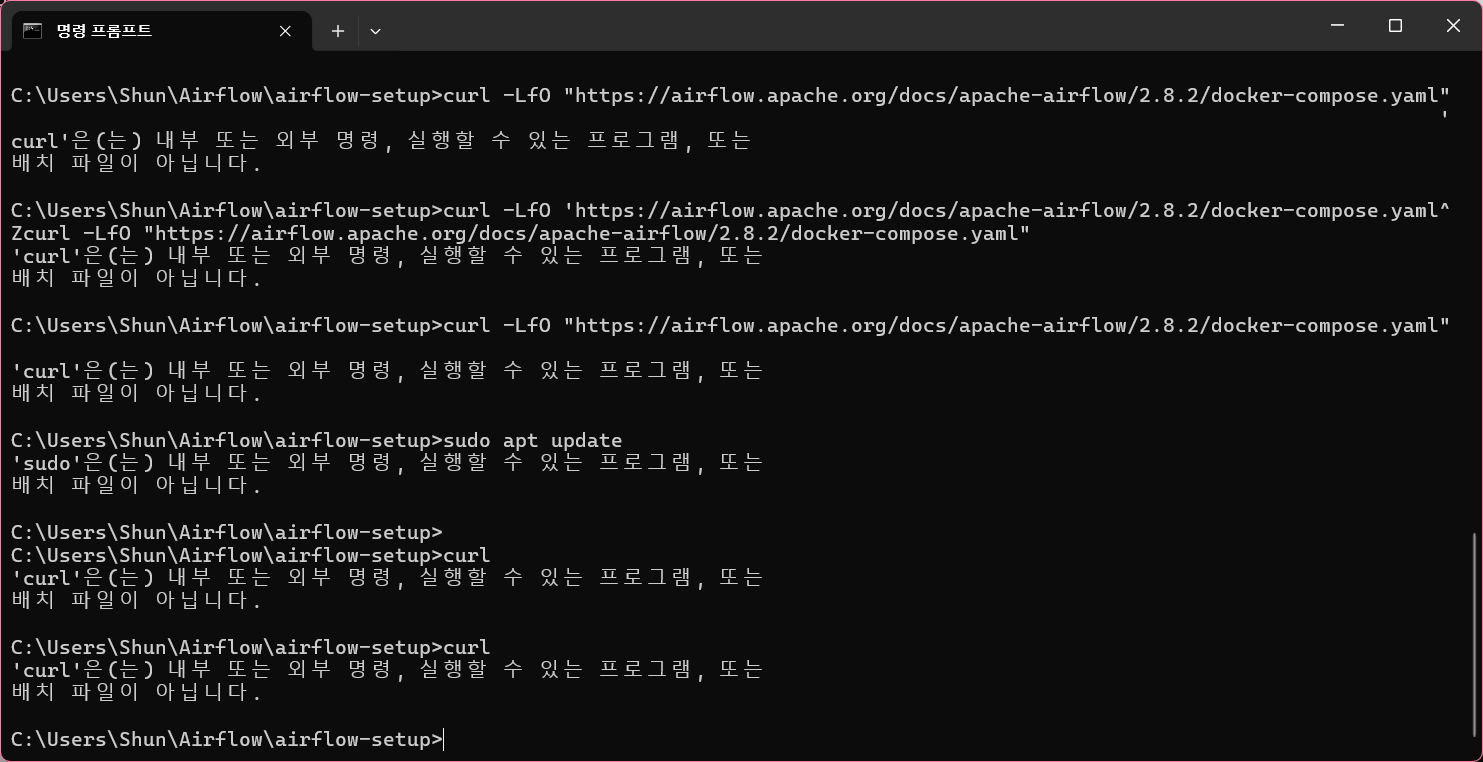
curl 명령어 분명히 썼는데 갑자기 밀당을 해서
윈도우에서 curl 명령어 쓰는 방법을 구글링했다.
짱나서 맥북 사려다가 돈도 없고 가오도 없어서 윈도우 터미널을 고쳐쓰기로 함.
1. 먼저 아래의 링크에서 파일을 다운로드 받습니다.
curl for Windows
curl 8.6.0 for Windows These are the latest and most up to date official curl binary builds for Microsoft Windows. curl version: 8.6.0 Build: 8.6.0_6 Date: 2024-01-31 Changes: 8.6.0 changelog curl for 64-bit Size: 7.3 MB sha256: ddabb390c7d5ad0694c68908616
curl.se

사기꾼들이 만든 가짜사이트 같은데 안심하시고 본인 컴퓨터에 맞는 파일을 다운로드 하시면 됩니다.

저도 이렇게 받았습니다.
2. 압축 풀기

압축을 풀어주세요.
3. 폴더 옮기기
압축을 푼 폴더를 고대로 C: 디렉터리에 넣습니다.
폴더의 주소를 아래와 같이 만드시면 됩니다.
C:\curl-8.6.0_6-win64-mingw
4. 시스템 환경 변수 편집

시스템 환경 변수를 편집하러 갑시다.
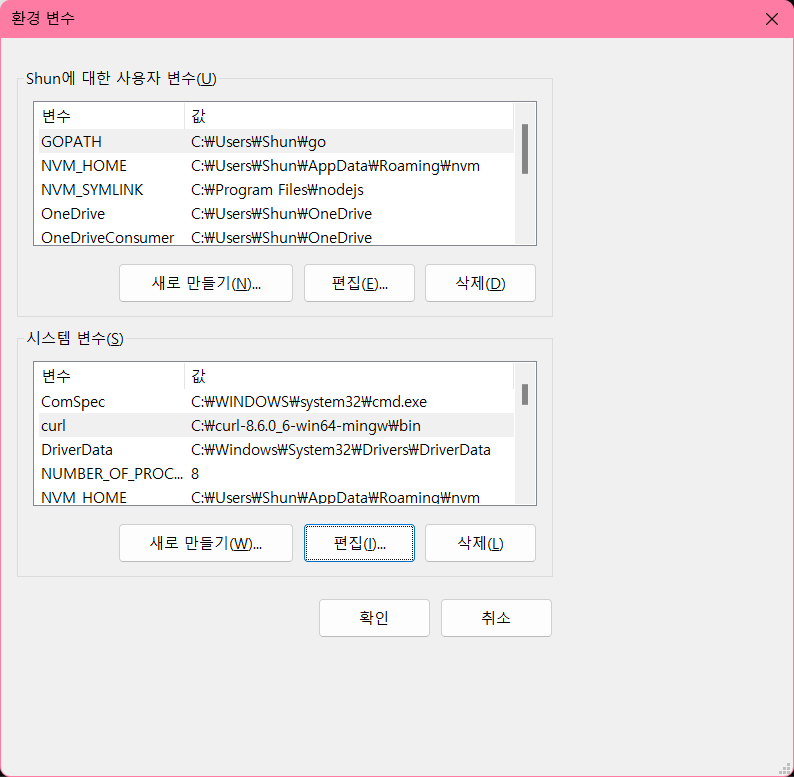
편집을 눌러주세요

이렇게 등록을 해주시면 됩니다.
(아마) 변수 이름은 마음대로 등록하셔도 될 겁니다.
5. 확인
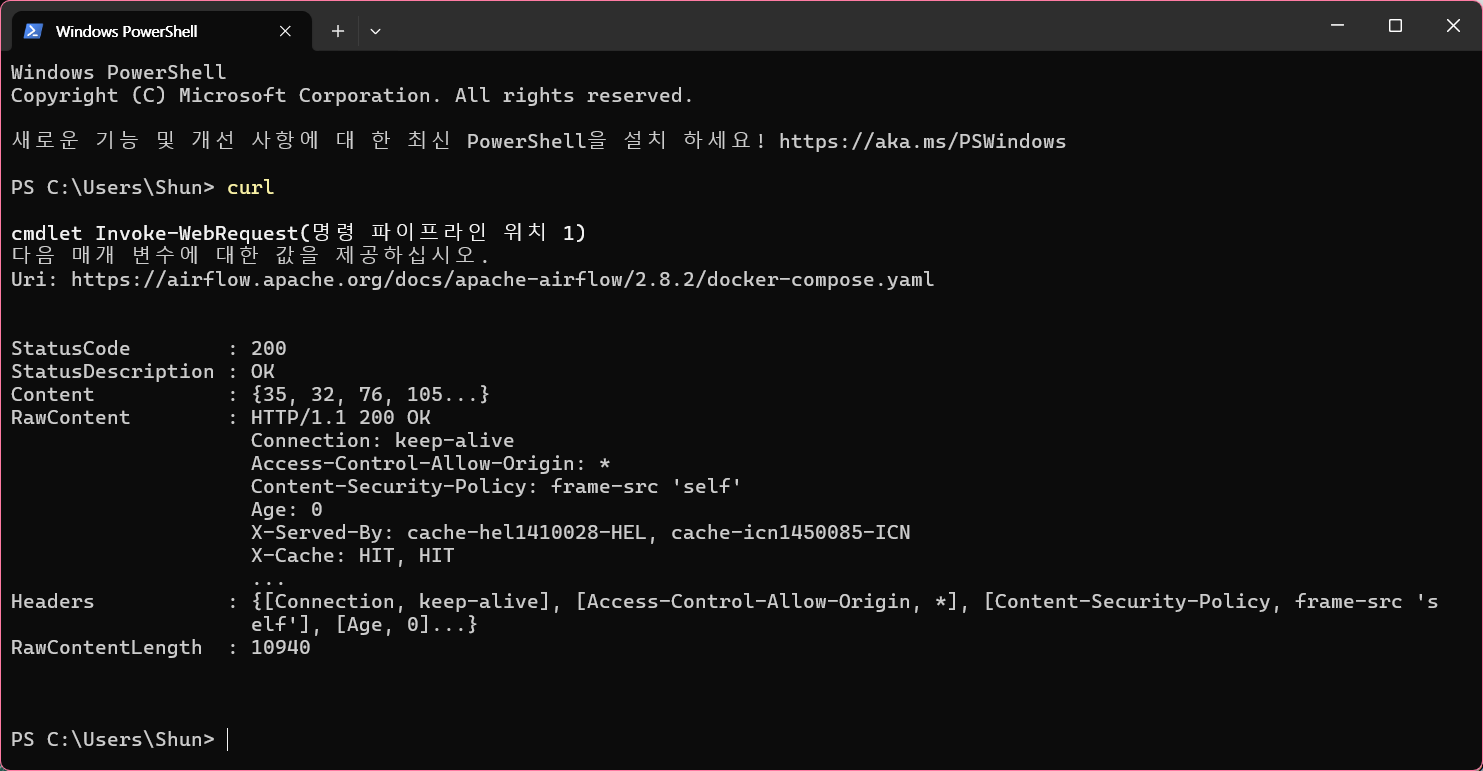
그러면 이제 집나간 curl 명령어가 다시 되돌아왔음을 알 수 있습니다!
이것도 안 되면 그냥 여기서 다운받으세요.. ㅎ
cURL for Windows: a Windows Installer for the Web Transfer Tool (confusedbycode.com)
cURL for Windows: a Windows Installer for the Web Transfer Tool
cURL for Windows cURL for Windows is an MSI installer for cURL, the popular command-line web transfer tool. (Go to downloads). Quick Links Downloads You can install cURL for Windows with only a few clicks. Just download and run an installer from the table
www.confusedbycode.com
다들 도움이 되었기를 바라며...
저는 맥북 살 돈 모으러 가겠습니다.
안녕~

'Docker' 카테고리의 다른 글
| curl: (60) SSL certificate problem: certificate has expired 오류 해결 (0) | 2024.03.17 |
|---|---|
| [Docker] 도커 데스크톱 띄웠는데 docker 명령어 안 뜨는 오류 해결법 (1) | 2024.03.17 |
| [Docker] curl: Failed to extract a sensible file name from the URL to use for storage 오류 해결법 (0) | 2024.03.16 |
| [Docker] 도커 기본 명령어 (0) | 2023.01.31 |
| [Docker] 도커를 이용한 웹 서버 구축 (0) | 2023.01.31 |